ALPH Staking Guide
Updated: 2026-08-24
This guide shows how to open the ALPH staking page from Assets, select a listed staking batch, and manage an existing staking record in DxPool.
Prerequisites
- Sign in to your DxPool account.
- Make sure ALPH is available in your Assets balance before you start a new stake.
- Read the terms displayed for the selected batch before submitting a stake or ending one early.
Stake ALPH
-
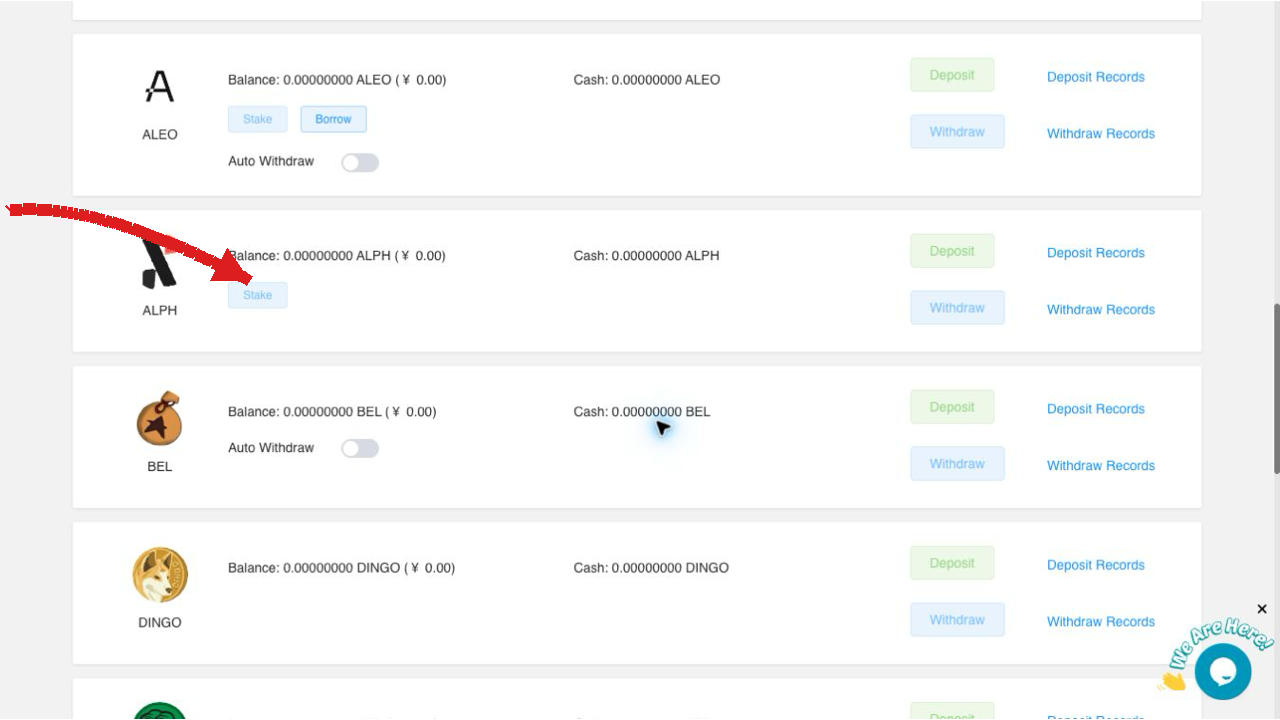
Open Assets, find ALPH, and select Stake.
-
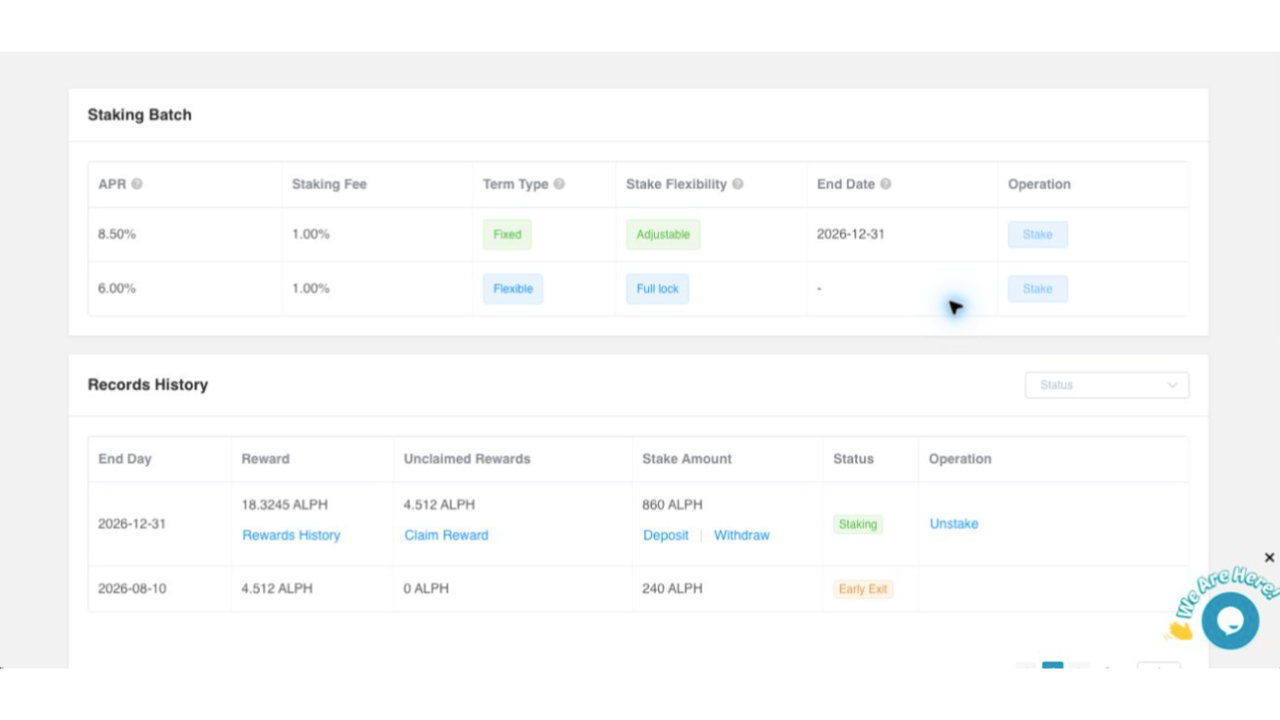
On the staking page, review the available batches in Staking Batch. The table displays APR, Staking Fee, Term Type, Stake Flexibility, End Date, and Operation for each batch. Select the batch that matches your needs, then choose Stake in that row.
-
Enter the requested staking details on the page and complete the submission. After it is accepted, find the position in Records History.
Review a staking record
In Records History, use the Status filter when needed, then review End Day, Reward, Unclaimed Rewards, Stake Amount, and Status. A record shown as Staking is still active. Use Rewards History to view reward details or Claim Reward when those actions are available.
Verify the result
After the page refreshes, confirm that the new or updated position appears in Records History and that its Status reflects the result of your action. If the displayed record does not match the position you intended to manage, do not submit the action again.
End a stake early
Warning: Ending a stake early is an asset-related action. Before confirming, review the selected record and the terms currently displayed on the staking page. This guide does not assume the effect on rewards, fees, or the amount returned.
-
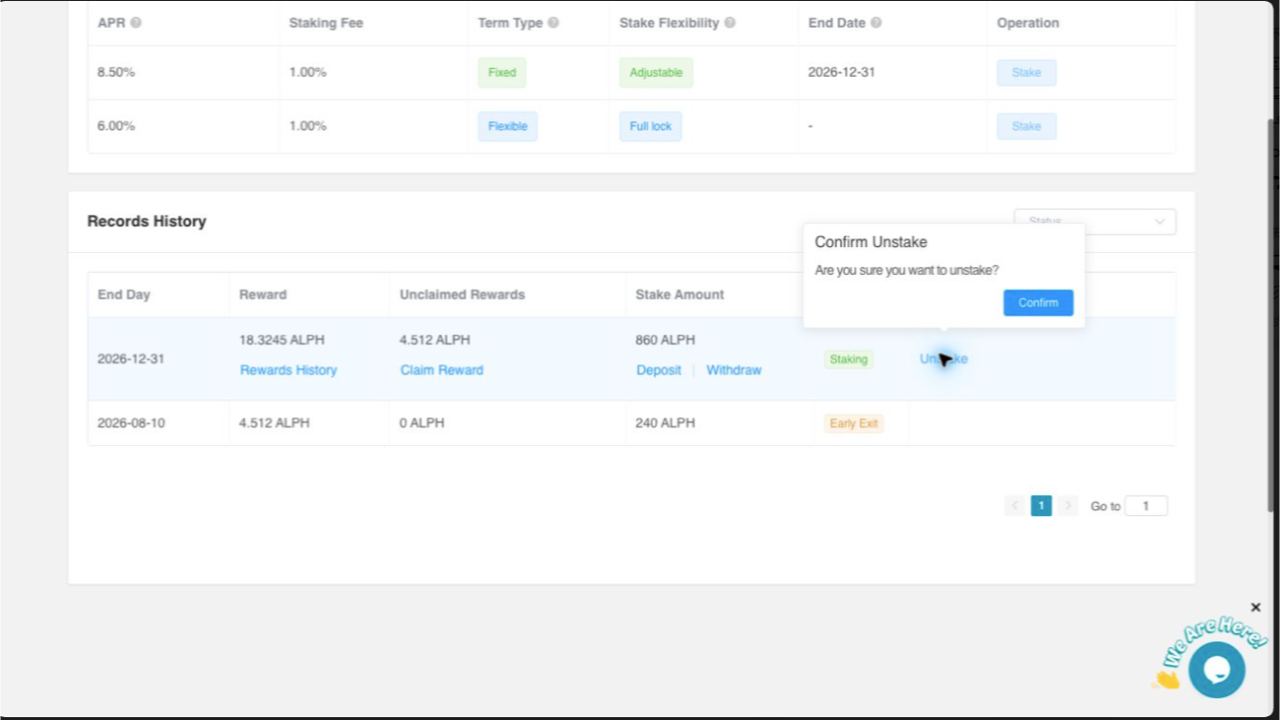
In Records History, locate the active ALPH position you want to end and select Unstake.
-
The Confirm Unstake message asks whether you want to unstake. Verify that this is the intended position, then select Confirm only if you want to proceed.
-
Return to Records History and check the status after the page refreshes.
Troubleshooting
If a record or result is unclear, first refresh the page and review the latest details in Records History. Do not repeat an Unstake action until the record shown on the page matches the position you intended to manage.